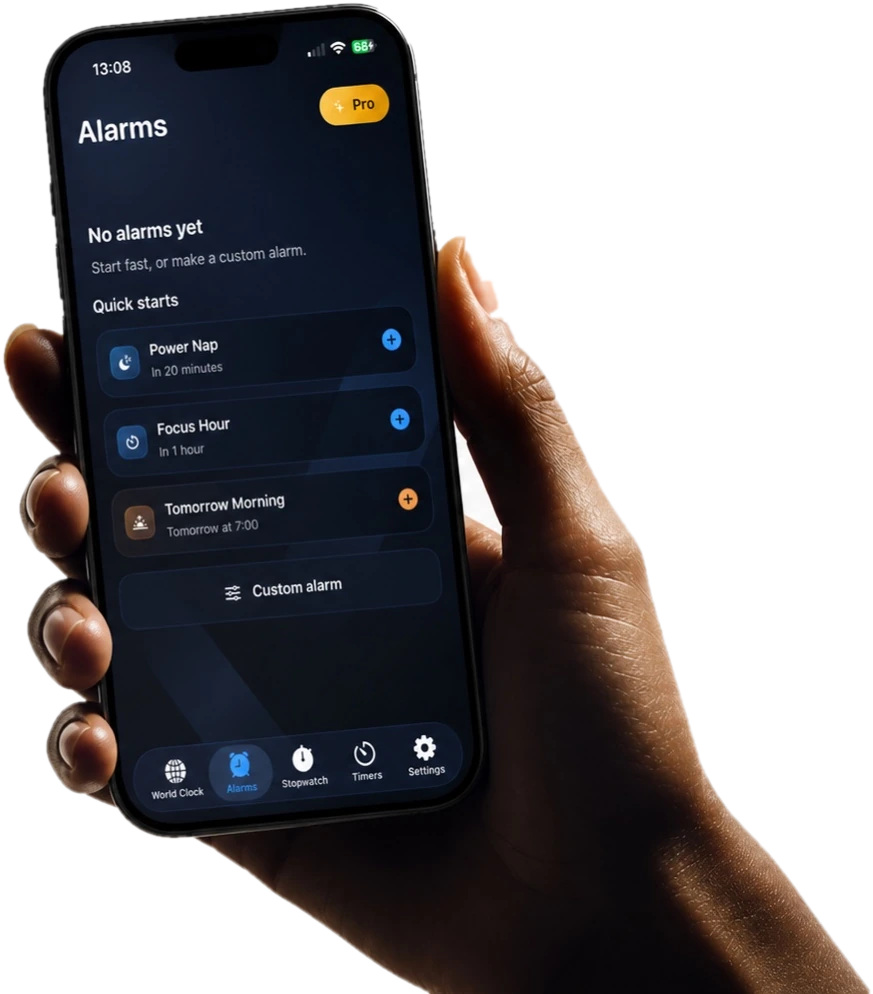
设置闹钟
选择你需要的早晨时间和重复日期。
 Ringly
工作方式
选择你需要的早晨时间和重复日期。
Add proof that makes dismissal harder than one sleepy tap.
See whether alarm, mission, and access are ready before night.
任务
Start light when you only need friction. Use stronger missions when one tap is too easy.
停止闹钟前先完成一个简短计算。
Type a phrase with enough focus to prove you are awake.
Repeat a small pattern instead of tapping dismiss.
Move away from bed before the alarm is complete.
Use a saved code in another room.
Match a real scene when you need stronger proof.
就绪状态
Ringly shows setup problems before the night starts, not after the alarm fails.
Alarm, mission, and access are in place.
A selected mission still needs permission.
The alarm exists, but the delivery path needs review.
Something important should be fixed before bed.
Beta testing
提前体验真实早晨测试。发送简短反馈,并在公开发布前帮助改进闹钟流程。
发布列表
One email when Ringly is ready. No drip funnel.
常见问题
You get the public App Store link when Ringly is ready. If you leave a note, it helps tune launch defaults.
Not yet. This page is the release list, not a download page.
No. Ringly should match the morning. Lighter setups can stay gentle; heavy-sleeper setups can add stronger missions.
It is used for the release update and optional product feedback. It is not sold.